To program a garage door opener, press and release the Learn (or Program) button on the opener’s motor unit, then within 30 seconds press and hold the button on your remote until the opener lights flash or you hear two clicks. Test the remote, and you’re done. The same idea works for keypads and in-car Home Link buttons, with small variations by brand.
Before You Start: What You’ll Need
Programming a garage door opener is one of the simplest home-maintenance jobs, but a few minutes of prep prevents most frustration:
- A stable ladder. On most openers the Learn button sits on the motor unit mounted to the garage ceiling.
- Fresh remote batteries. A weak battery is one of the most common reasons a remote refuses to pair.
- Your opener’s model number. It is printed on the motor unit and helps you confirm remote compatibility.
- A clear garage door path. The door may move during programming, so keep people, pets and objects away from it.
Chamberlain’s support team rates remote programming as an easy DIY job that takes about five minutes, and notes that you only need a ladder when the Learn button is on the motor unit itself (Chamberlain Group Support).
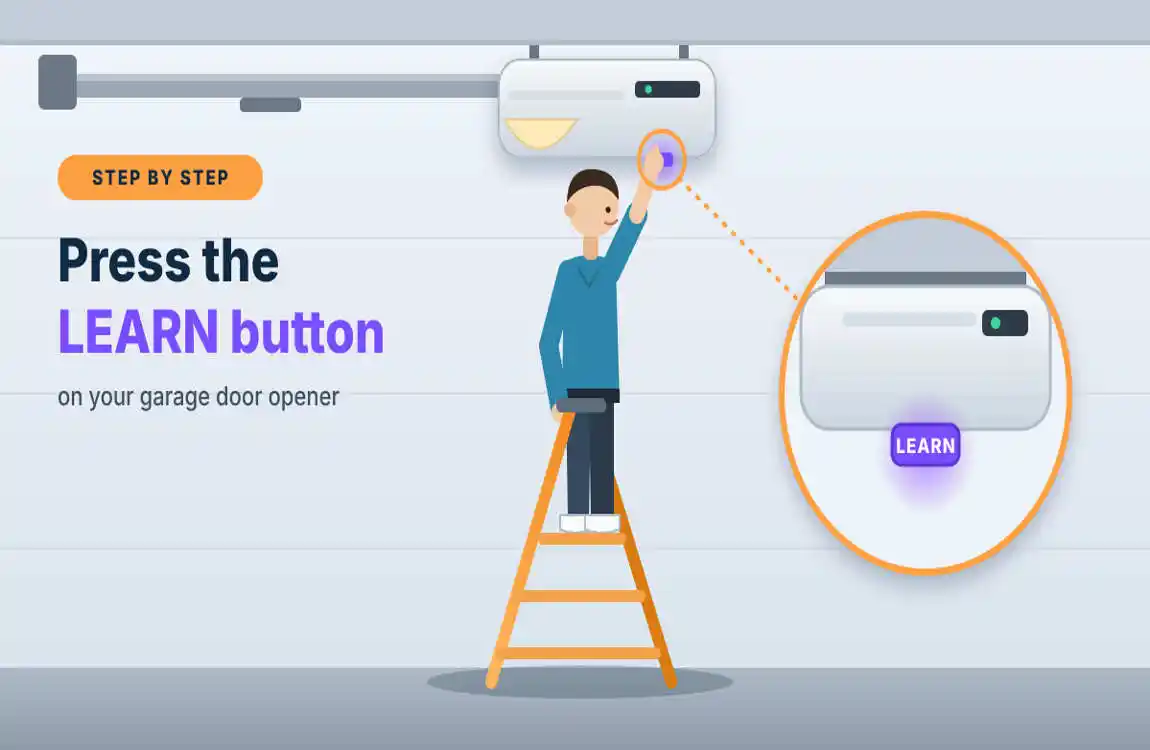
Find the Learn Button
The Learn button (called “Program” or “Smart” on some models) is a small square or round button, usually on the back or side of the motor unit, often beside or beneath the light cover. On Lift Master and Chamberlain openers it is commonly colored purple, yellow, green, orange or red, and the color tells you which remote type your opener accepts. Genie openers typically use a Program or Learn Code button with an LED beside it.
Program a Handheld Garage Door Remote
- Press and release the Learn button on the motor unit. An indicator light will glow steadily.
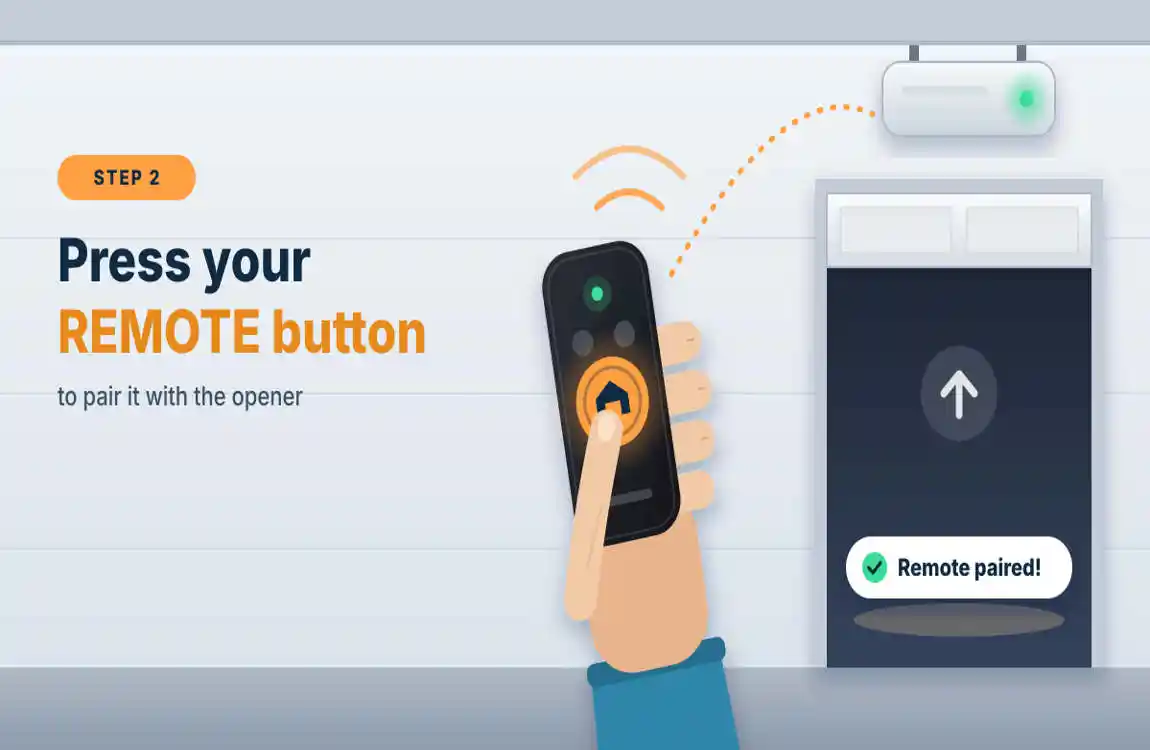
- Within 30 seconds, press and hold the button on the remote you want to use.
- Watch for confirmation. The opener lights flash, or you hear two clicks. Release the remote button.
- Test it. Stand back and press the remote. The smart door should move.
This is the standard method Chamberlain describes for compatible Chamberlain and LiftMaster remotes (Chamberlain Group Support). If you miss the 30-second window, simply start again.
No Learn Button on the Motor? Use the Wall Control
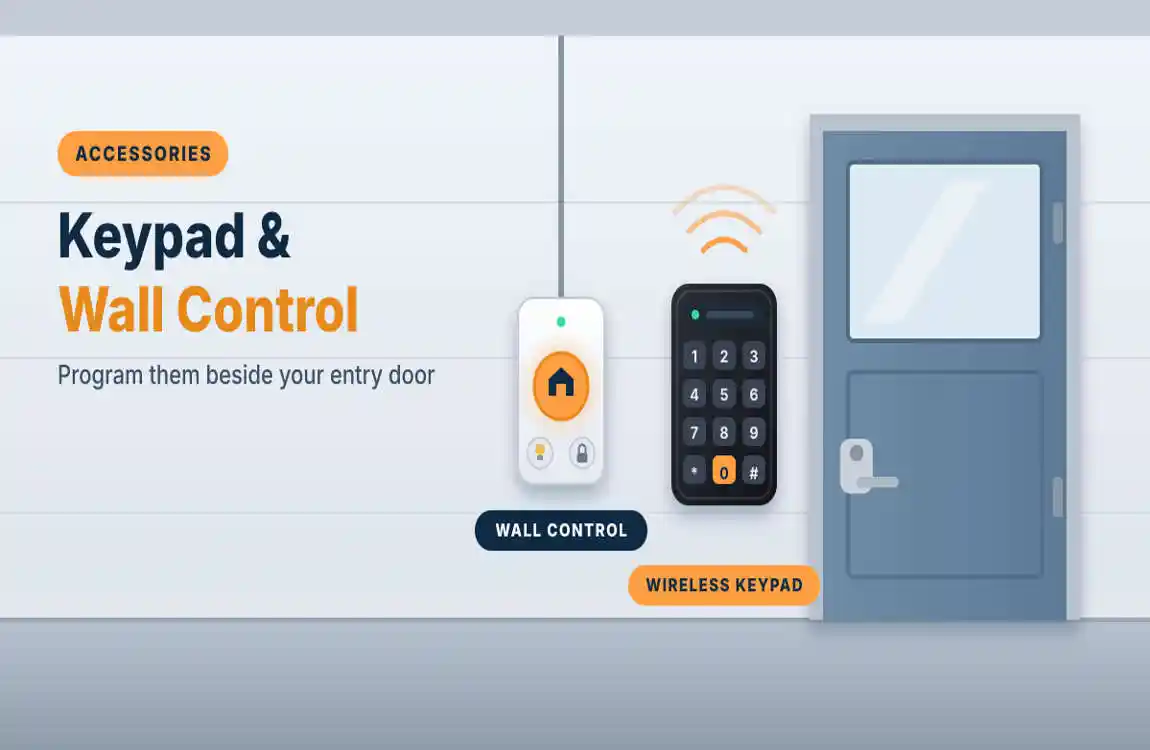
Some systems let you program through the wall-mounted door control. Chamberlain lists a method for wall controls that have their own Learn button: press and release it twice, then follow the on-screen or light prompts for your model (Chamberlain Group Support). Because wall controls differ, check your manual for the exact sequence.
Program a Genie Garage Door Opener
Genie’s process depends on the age of the opener. According to the manufacturer, newer models have a Program button: hold it until the round blue LED lights, release it, and a long purple LED begins flashing, at which point you press your remote button. Older models have a Learn Code button: press and release it, and a red LED starts blinking before you press the remote door (Genie Company). Always confirm with your model’s manual, since LED behavior varies.
Program Your Car’s HomeLink Button
HomeLink lets you open the garage from buttons built into your visor or overhead console, so you don’t need a handheld remote. Because setup differs by vehicle make, model year and HomeLink version, always have your car manual handy. In general:
- Confirm your handheld remote works and identify which of its buttons operates the door.
- Clear the HomeLink button you plan to use (only needed if the button is not already unused, or the car is pre-owned and may hold a previous owner’s opener).
- Hold the remote 1 to 3 inches from the HomeLink button, then press and hold both until the HomeLink light changes from a slow blink to a fast blink.
- Finish at the opener. Press the Learn button on the motor unit, then return to the car within 30 seconds and press the Home Link button (you may need to press it up to three times).
Test the Safety Reversal (Do Not Skip This)
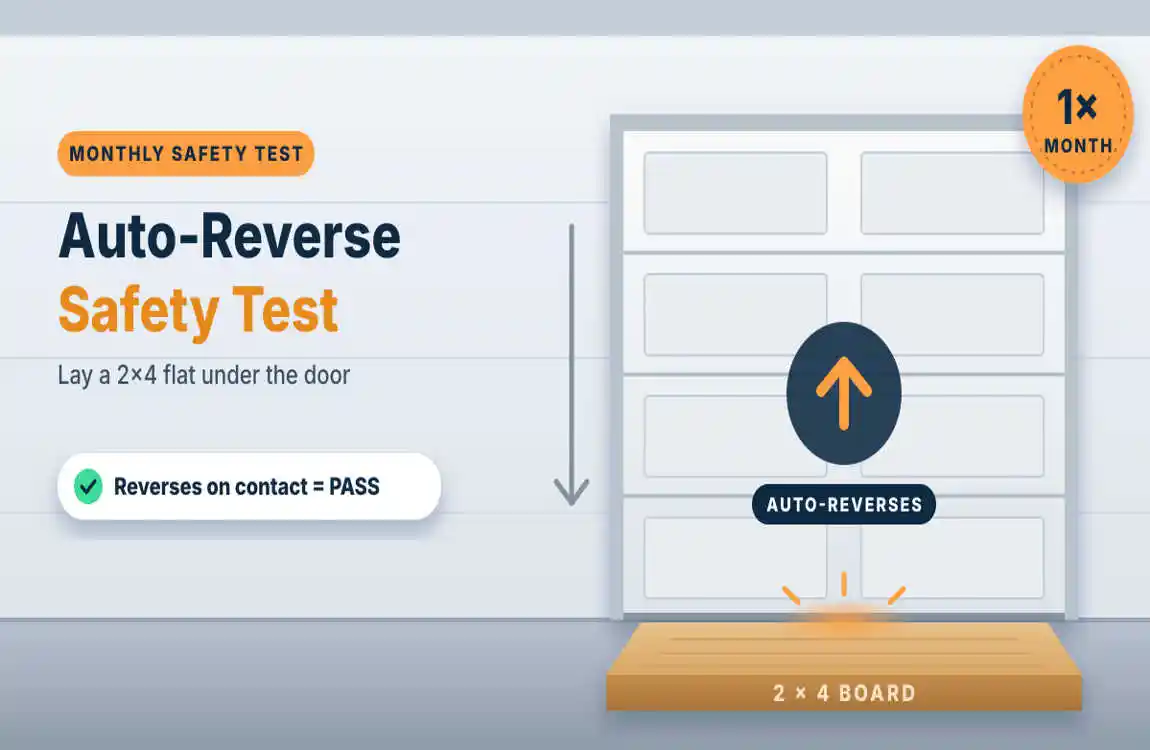
Any time you program, replace or adjust an opener, confirm the safety features still work. The U.S. Consumer Product Safety Commission (CPSC) explains that every garage door operator must reverse a downward-moving door within two seconds after it touches a two-inch-high test block on the floor (CPSC). The agency recommends testing monthly.
A simple home test:
- Place a 2×4 flat on the garage floor in the door’s path.
- Close the door with the remote.
- The door should touch the board and reverse. If it doesn’t, stop using the opener’s automatic close and have it adjusted or repaired.
CPSC also advises testing the reversing feature with a 2×4 and disengaging the opener if it fails (CPSC Safety Alert). That same guidance notes that photo-eye sensors should be mounted 4 to 6 inches above the floor, and that openers made after January 1, 1993 must also include an external entrapment-protection system, such as those photo-eyes (CPSC).
Troubleshooting: Why Won’t My Garage Door Remote Program?
| Problem | Likely cause | What to try |
|---|---|---|
| Opener lights never flash | Took longer than 30 seconds | Press Learn again and press the remote button right away. |
| Nothing happens at all | Weak or dead remote battery | Replace the battery and retry. |
| Remote still won’t pair | Incompatible remote or opener generation | Check model numbers and Learn button color against the remote’s compatibility list. |
| Works up close, not from the driveway | Damaged or tangled antenna wire | Make sure the antenna hangs straight down from the motor unit. |
| Door won’t close | Misaligned or blocked safety sensors | Wipe the lenses, check both indicator lights and realign. |
| HomeLink won’t link | Button not cleared, or remote not trained first | Clear the button, train HomeLink with a working remote, then complete the opener step quickly. |
| Second car cancels the first | Rolling-code pairing conflict | Re-train both vehicles, finishing the opener step for each one in turn. |
How to Erase Old Remotes (Great for New Homeowners)
Moved into a new house, or lost a remote? Clearing the opener’s memory removes every stored remote and keypad so only the ones you program afterward will work. On many LiftMaster and Chamberlain models this means pressing and holding the Learn button for several seconds until the indicator light goes out, but the exact hold time differs by model, so check your manual. After clearing, reprogram each remote door you still want to use.
Frequently Asked Questions
How do I program a garage door opener without the manual?
Look for the model number on the motor unit and find the manual online through the manufacturer’s support site. The general method is the same for most brands: press Learn on the motor unit, then press the remote button within 30 seconds.
Where is the Learn button on a garage door opener?
It is usually on the back or side of the motor unit, near the light lens or beneath the light cover, and is often a small purple, yellow, green, orange or red button on LiftMaster and Chamberlain units.
How long do I have to press the remote after pressing Learn?
Generally about 30 seconds. If the window closes, press Learn again and repeat.
Can I program a garage door opener from my phone?
Yes, if the opener is Wi-Fi enabled. Smart openers, such as those that use the myQ app, are paired through the manufacturer’s app instead of a remote. Follow the app’s setup prompts.
How do I program a garage door keypad?
Press Learn on the opener, then enter your chosen PIN on the keypad and press the Enter key within the time limit. Exact steps vary by model, so check your keypad’s instructions.
Do I need a professional to program a garage door opener?
No. Programming a remote, keypad or HomeLink button is an easy DIY task. Call a professional if the door fails the reversal test, the springs or cables look worn, or the opener has stopped responding altogether.
Final Thoughts
Learning how to program a garage door opener saves you a service call and keeps your home convenient and secure. Find the Learn button, pair your remote within 30 seconds, link your car if needed, and always finish with the monthly auto-reverse test. A few minutes now means a safer garage for everyone in your household.
Sources
- Chamberlain Group Support: How to Program a Remote Control to a Garage Door Opener
- Chamberlain Group Support: How to Program HomeLink to a Chamberlain or LiftMaster Opener
- Genie Company: Program Your Genie Opener to Your Car (HomeLink and Car2U)
- U.S. Consumer Product Safety Commission: Safety Standard Targets Garage Door Deaths
- U.S. Consumer Product Safety Commission: Non-Reversing Automatic Garage Door Openers Are a Hazard
- Federal Register (2018): Safety Standard for Automatic Residential Garage Door Operators, 16 CFR Part 1211