
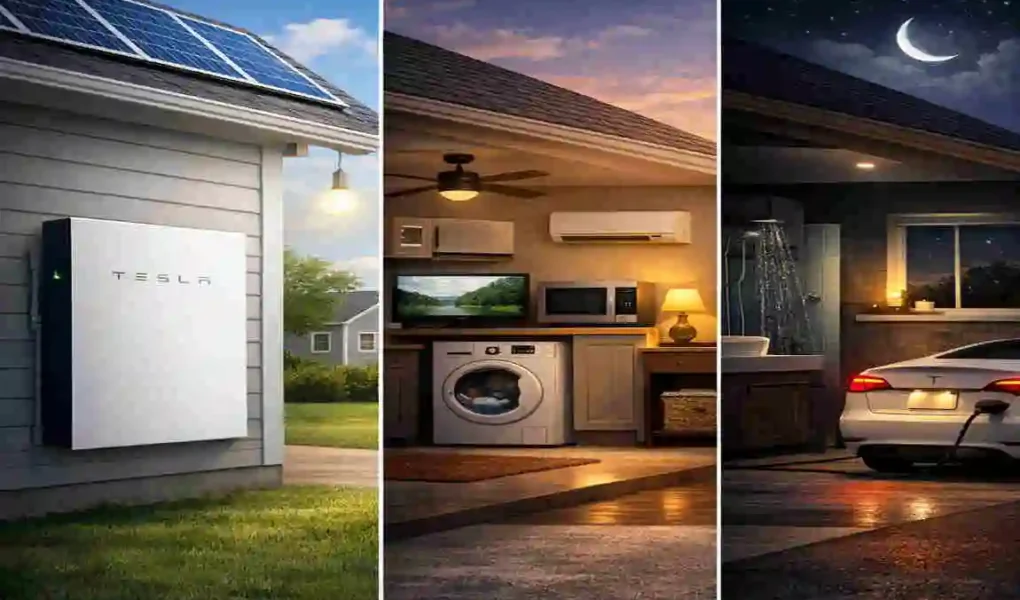
In the United States, the average resident experiences roughly 7 to 10 hours of power outages each year. While that might not sound like much on paper, those hours feel like an eternity when your food is spoiling, and you can’t charge your phone to check the news. This is where the Tesla Powerwall steps in. With a 13.5 kWh usable capacity, it is designed to be your personal energy security guard.
Understanding the Specs: What’s Inside the Box
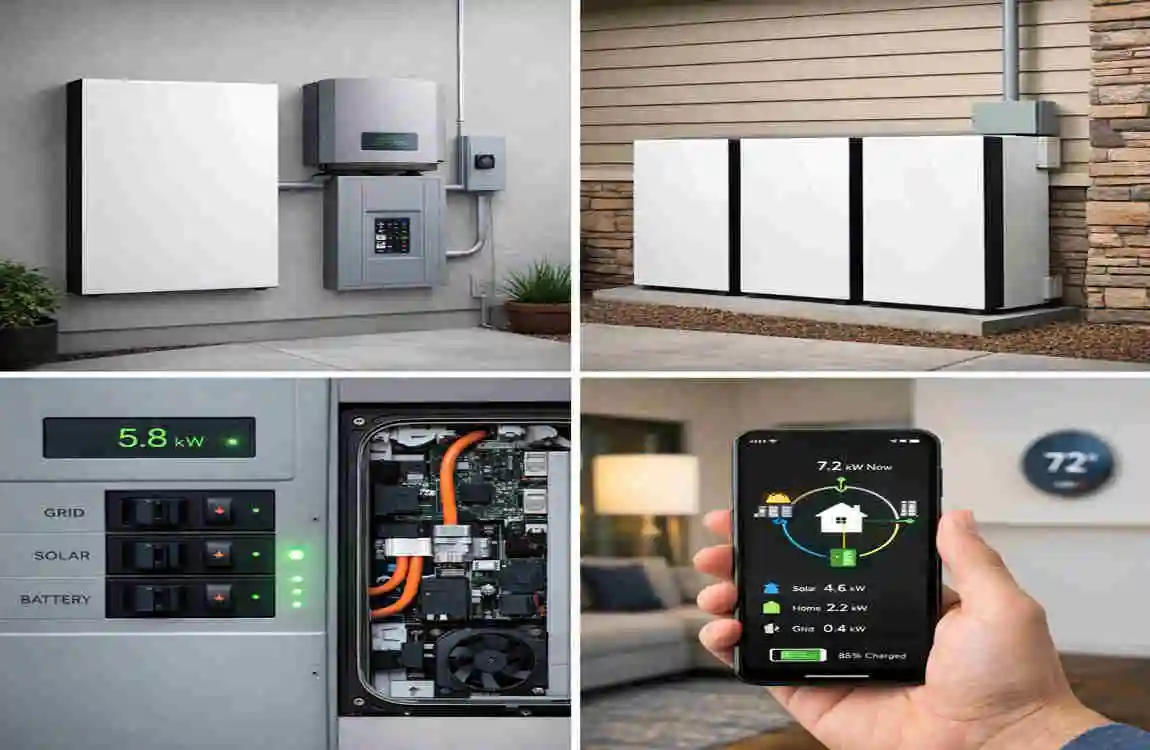
Before we can figure out the Powerwall runtime, we need to understand what we are working with. Think of the Powerwall like a giant fuel tank for your luxury home, but instead of gasoline, it stores electricity. However, unlike a gas tank, it has limits on how much energy it can “pour out” at once.
Core Capacity and Power Output
The most important number to remember is 13.5 kWh. This is the amount of “usable energy” stored inside a single Tesla Powerwall. To put that in perspective, a standard 100-watt light bulb could run for 135 hours on a full charge. However, your home uses much more than one light bulb.
There is also a difference between energy (capacity) and power (output).
- Capacity (13.5 kWh): This is the total amount of electricity available.
- Continuous Power: This is how much energy the battery can provide at any given second.
If you try to turn on too many heavy appliances at once, you might exceed the power output limit, even if the battery is full. This is why understanding the model you have is so important.
Powerwall 2 vs. Powerwall 3
Tesla recently introduced the Powerwall 3, which changed the game for many homeowners. While the storage capacity remains the same at 13.5 kWh, the “muscle” behind the battery has increased significantly.
The Powerwall 2 offers about 5 kW of continuous power. This is enough for lights, a fridge, and some electronics. The Powerwall 3, however, can provide up to 11.5 kW of continuous power. This means it can handle much larger “startup” loads, such as a large air conditioner or a well pump, which often require a massive burst of energy to get moving.
The Backup Gateway Features
The “brain” of your system is the Tesla Gateway. This device sits between your stunning home, the utility grid, and your Powerwall. Its job is to detect a power outage the millisecond it happens.
In fact, the switchover is so fast—usually less than 10 milliseconds—that most of your electronics won’t even reboot. Your desktop computer will stay on, and your digital clocks won’t start flashing 12:00.
Another cool feature is Storm Watch. If Tesla detects a severe weather event heading your way, the Gateway will automatically communicate with the grid to ensure your Powerwall is charged to 100%, just in case the power goes out.
Table: Powerwall Models Comparison
FeaturePowerwall 2Powerwall 3
Usable Capacity 13.5 kWh 13.5 kWh
Continuous Power (On-Grid) 5.8 kW 11.5 kW
Continuous Power (Backup) 5 kW 11.5 kW
Peak Power (10 seconds) 7 kW 30 kW
Installation Style: Wall or Floor, Floor Mount
Estimated Price $11,500 $15,400
What Determines Your Backup Time?
When people ask, “How long can Powerwall power a house?”, the answer is almost always: “It depends on you.” Your lifestyle and your home’s energy appetite are the most significant factors. Let’s break down what actually drains that 13.5 kWh tank.
Household Energy Consumption
The average American home uses about 30 kWh of electricity per day. If you do the math, a single Powerwall (13.5 kWh) wouldn’t even last a full 24 hours if you used your electricity like you usually do.
However, during an outage, most people enter “conservation Mode.” If you run only the essentials, your consumption might drop to 10-12 kWh per day. In that case, a single Powerwall can easily get you through the night and into the next morning.
Appliance Power Draws
Not all appliances are created equal. Some are “sippers,” and some are “gulpers.” To manage your home battery duration, you need to know who the gulpers are.
- The Refrigerator: This is usually a “sipper.” A modern, energy-efficient fridge uses about 100-200 watts while the compressor is running. Since it cycles on and off, it doesn’t drain the battery as fast as you might think.
- LED Lights: These are incredibly efficient. You could run 10 10-watt LED bulbs for 12 hours and use only 1.2 kWh of your 13.5 kWh total.
- Air Conditioning: This is the ultimate “gulper.” A central AC unit can pull 3,000 to 5,000 watts (3-5 kW) every hour it runs. If you leave the AC on full blast, a single Powerwall might be empty in less than 4 hours.
- Electric Vehicle (EV) Charging: Charging your Tesla from your Powerwall during an outage is usually not recommended unless you have a massive battery array. A standard EV battery is 60-100 kWh—way bigger than the Powerwall itself!
Solar Integration Impact
This is the “secret sauce” of the Tesla ecosystem. If you have solar panels paired with your Powerwall, the question of how long the Powerwall can power a house changes from “hours” to “possibly forever.”
During the day (usually between 8 AM and 4 PM), your solar panels power your home and send any excess energy to the Powerwall to recharge it. As long as the sun comes out the next day, your battery will recharge. This creates a cycle where you use the battery at night and recharge it during the day. In this scenario, you could stay off the grid indefinitely, provided you don’t use more energy than your panels can produce.
Real-World Scenarios: How Long Will It Actually Last
Let’s look at some specific examples. Most homeowners fall into one of three categories when the power goes out.
Essentials-Only Mode 24-27 Hours
In this scenario, you are being very careful. You are running your Wi-Fi router, your refrigerator, a few LED lights, and maybe charging your phones and laptops.
If your average load is around 500 watts (0.5 kW), the math is simple:
13.5 kWh / 0.5 kW = 27 hours.
This is the most common way people use a single Powerwall. It gives you more than a full day of “normal-ish” life without feeling like you are camping in the dark.
Moderate Home Use 12-15 Hours
You should be more comfortable. You decide to watch some TV, use the microwave for dinner, and keep the ceiling fans running to stay cool.
In this case, your average load might jump to 1,000 watts (1 kW).
13.5 kWh / 1.0 kW = 13.5 hours.
This setup is perfect for short-term outages that happen in the evening and are fixed by the next morning. You won’t have to change your habits much, but you’ll need to be mindful of the battery level if the outage stretches into a second day.
Complete House Challenge 6-9 Hours
Some people want “whole-home backup.” They want the AC to stay at 72 degrees, the electric oven to stay on, and maybe even a quick load of laundry.
If your load is averaging 2 kW or more, the Powerwall outage support will only last about 6 to 7 hours. If you have a Powerwall 2, you might even hit the power limit if the AC and the oven kick in at the same time. This is where having a Powerwall 3 or multiple units becomes a necessity.
Table: Runtime by Scenario
ScenarioAverage Load1 Powerwall Runtime2 Powerwalls Runtime
Essentials Only 500 Watts ~27 Hours ~54 Hours
Moderate Use 1,000 Watts ~13.5 Hours ~27 Hours
Full Home Load 2,000 Watts ~6.75 Hours ~13.5 Hours
Heavy Load (AC) 4,000 Watts ~3.3 Hours ~6.7 Hours
Going Big: Stacking Multiple Powerwalls
If you looked at the table above and thought, “6 hours isn’t enough for me,” you aren’t alone. Many people choose to install multiple units to increase their Tesla Powerwall backup time.
Why One Might Not Be Enough
A single Powerwall is a fantastic tool, but for a large family home with high energy needs, it’s often just a “bridge” to get you through a few hours. If you live in an area prone to multi-day outages—like during hurricane season or heavy winter storms—stacking units is the way to go.
When you add a second Powerwall, you double two things:
- Your Capacity: You now have 27 kWh of storage.
- Your Power Output: You can now pull twice as much power at once (10-23 kW depending on the model).
The Math of Stacking
Calculating your runtime with multiple units is straightforward. You can use this simple formula:
Hours of Backup = (13.5 x Number of Units) / Your Average Load in kW
For example, if you have three Powerwalls and you are using a moderate 1.5 kW of power:
(13.5 x 3) / 1.5 = 27 hours.
Costs and Benefits of Multiple Units
Adding more batteries does increase the price, but there is a “diminishing cost” factor. The most expensive part of the first installation is often the Gateway and the labor to rewire your home’s electrical panel. Adding a second or third battery to the same system is usually cheaper per unit than the first.
Plus, with more batteries, you can take better advantage of solar energy. You can store all that extra sun from the day and have enough “fuel” to run your AC all night without ever touching the grid.
Pro Tips: How to Make Your Power Last Longer
You don’t always need to buy more batteries to get more time. Sometimes, just being a bit “smarter” with your energy can add several hours to your Powerwall runtime. Here is how you can optimize your home.
Energy-Saving Strategies
When the grid goes down, your house should go on a “diet.” Here are a few quick wins:
- The “Vampire” Hunt: Unplug electronics you aren’t using. Even when turned off, things like game consoles, coffee makers, and printers pull a small amount of “phantom” power.
- LED Swaps: If you haven’t switched your old incandescent bulbs to LEDs yet, do it now. It’s the cheapest way to extend your battery life.
- Temperature Management: In the summer, raise your thermostat by 5 degrees. In the winter, lower it. Your HVAC system is the biggest battery killer, so every degree counts.
- Manual Control: Avoid using “high-heat” appliances such as the dishwasher (dry cycle), clothes dryer, or electric oven unless necessary.
Mastering the Tesla App
The Tesla app is one of the best tools in the industry. It gives you a real-time view of where your energy is going. You can see exactly how many kilowatts your house is pulling at any moment.
I recommend checking the app as soon as an outage starts. If you see that “Power Flow” is higher than you expected, walk around the house to figure out what is running. Maybe a kid left a TV on in another room, or the pool pump is still running. Turning those off via the app or at the source can save you hours of backup time.
Setting the Right Modes
The app allows you to set different modes for your battery:
- Backup Reserve: This lets you decide how much of the battery to keep “saved” just for outages. If you set it to 20%, the battery will use the top 80% to save you money on your daily bill, while always keeping 20% in reserve for emergencies.
- Self-Powered Mode: This tells the battery to power your home as much as possible using stored solar energy, minimizing your reliance on the grid.
- Time-Based Control: If your utility company charges more for electricity at certain times of the day (Peak hours), the Powerwall will automatically power your home during those expensive times and recharge when electricity is cheap.
Is the Investment Worth It
A Tesla Powerwall isn’t just a battery; it’s an investment in peace of mind. But let’s look at the “dollars and cents” of it.
Upfront Costs and Incentives
Yes, the initial price tag of $11,500 to $16,000 can seem high. However, you have to consider the Federal Solar Tax Credit (ITC). Currently, you can get a 30% credit on the total cost of the system (including installation). That can knock thousands of dollars off the price.
Many states and local utility companies also offer “Battery Rebates” or “Virtual Power Plant” programs. In some areas, the utility will actually pay you to use a little of your battery power during periods of high grid demand.
Long-Term Savings vs. Generators
Compared to a traditional gas generator, the Powerwall has several advantages:
- No Fuel Needed: You don’t have to worry about storing gasoline or finding a gas station that is open during a disaster.
- Silent Operation: Generators are loud and smelly. The Powerwall is entirely silent.
- Zero Maintenance: No oil changes, no spark plugs, and no “exercising” the engine.
- Daily Use: A generator sits idle 99% of the year. A Powerwall works for you every single day by lowering your electricity bill.
Frequently Asked Questions
How long can a Powerwall power a house? It varies based on your usage. For essential items like lights, a fridge, and Wi-Fi, it can last 24 to 27 hours. For a whole home load, including AC, it typically lasts 6 to 9 hours.
Does solar recharge the Powerwall during an outage? Yes! This is one of the most significant benefits. During the day, your solar panels will power your home and recharge the Powerwall simultaneously. If you have enough solar, you can stay powered indefinitely.
Can I add more Powerwalls later? Absolutely. The system is modular. You can start with one and add a second or third later if you find that you need more home battery duration.
What is the warranty on a Tesla Powerwall? Tesla offers a 10-year warranty. They guarantee that the battery will still hold at least 70% of its original capacity after a decade of use.
Will it run my central Air Conditioning? A single Powerwall 3 is much better at starting an AC unit than a Powerwall 2. However, running AC for extended periods will drain the battery quickly. It is best to use the AC sparingly during an outage.